Information/Code 4

서버 | uptime 및 journalctl (로그 확인)

상황 | 요즘 화재 이후로 서버가 지혼자 꺼진다 눈물이 난다.. 좁은 식견으론 전력 문제 같다. 아무튼 리부트 된 원인 찾기 위해 로그 확인 하는 방법... (간단하게만) uptime 간단하게 시스템 상태를 확인할 수 있는 uptime 명령어 - 현재 시간: 20시 31분 53초- 시스템 작동 시간: 6시간 51분 (대충 13시 40분쯤 서버 켜졌다.)- 사용자 수: 3명- load average? 서버가 얼마나 바쁜지 나타내는 숫자인데 1분, 5분, 15분 평균이다. 서버의 CPU core 수와 비교해서 읽으면 된다. 현재는 아예 1 미만이라 널널하다는 뜻 journalctl ? systemd의 로그 확인 명령어다. 출처: https://www.loggly.com/ultimate-guide/usi..

Information/Code 2026.06.24

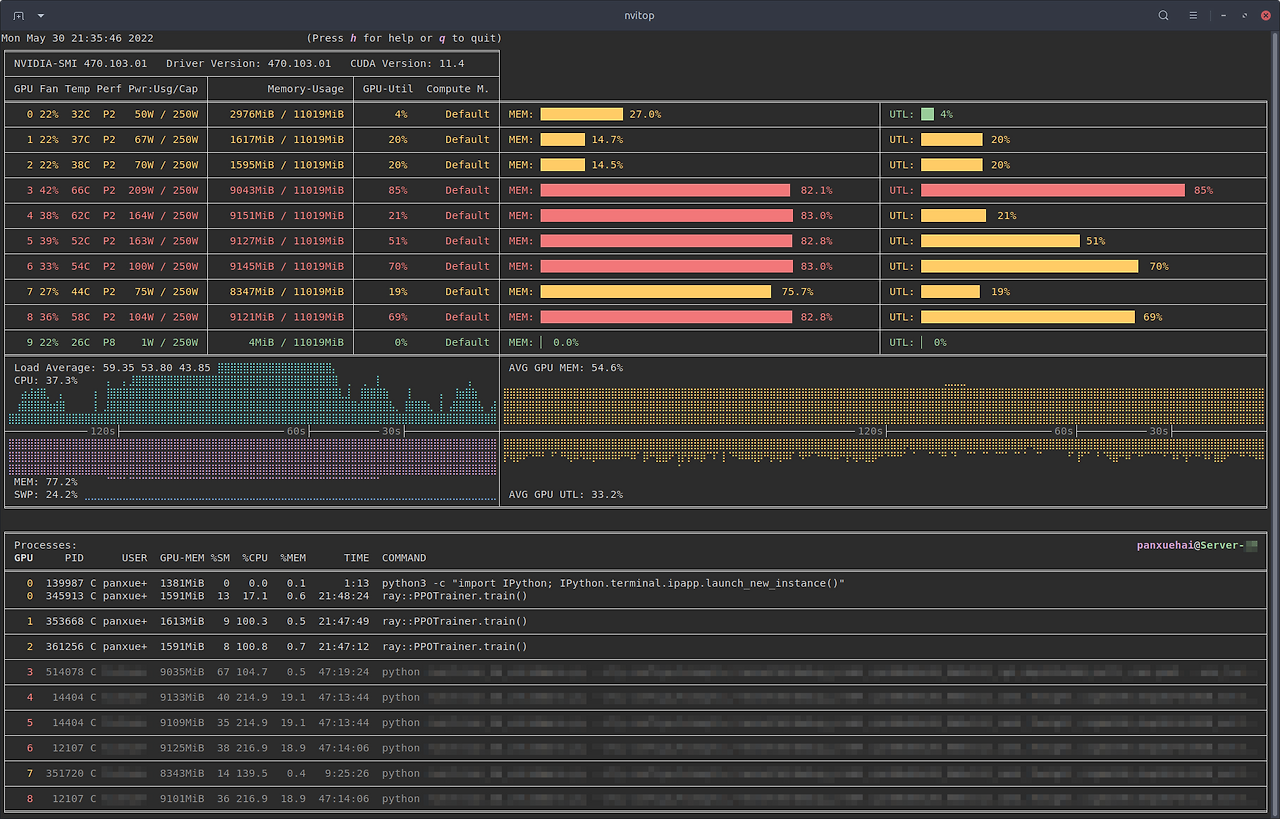
서버 | nvitop (GPU 사용률 확인 도구)

자세한 사항은 깃허브 & docs 참고https://github.com/XuehaiPan/nvitophttps://nvitop.readthedocs.io/en/latest/ nvitop이란? nvitop은 NVIDIA-GPU process viewer이다. GPU 사용률, 온도, 메모리, 전력, 프로세스 등 컬러 막대로 보여준다. interactive해서 관리하기 쉽고, 설치도 간편하다. 설치uvx nvitop# orpipx run nvitop 사용# Monitor mode (when the display mode is omitted, `NVITOP_MONITOR_MODE` will be used)$ nvitop # or use `python3 -m nvitop`# Automatically conf..

Information/Code 2026.06.23