자세한 사항은 깃허브 & docs 참고
https://github.com/XuehaiPan/nvitop
https://nvitop.readthedocs.io/en/latest/
nvitop이란?
nvitop은 NVIDIA-GPU process viewer이다.
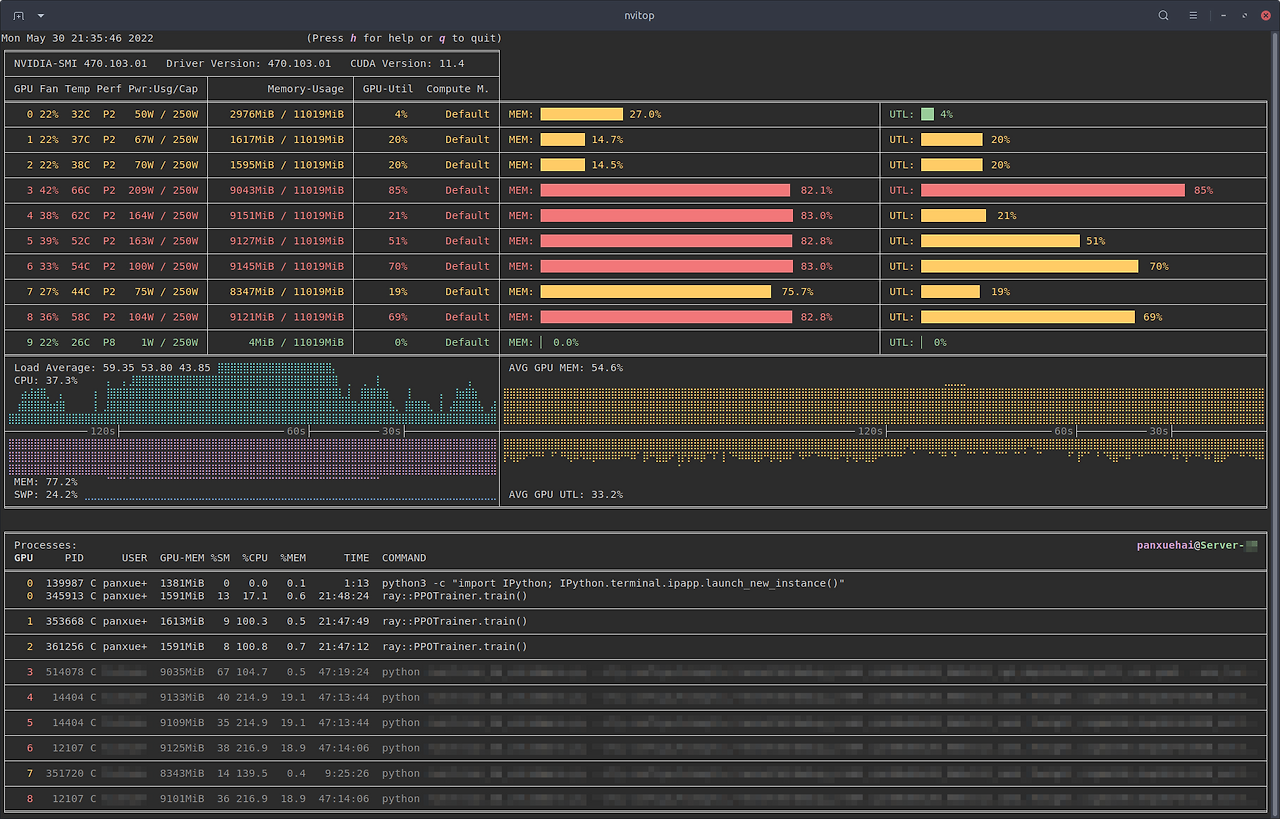
GPU 사용률, 온도, 메모리, 전력, 프로세스 등 컬러 막대로 보여준다. interactive해서 관리하기 쉽고, 설치도 간편하다.
설치
uvx nvitop
# or
pipx run nvitop
사용
# Monitor mode (when the display mode is omitted, `NVITOP_MONITOR_MODE` will be used)
$ nvitop  # or use `python3 -m nvitop`

# Automatically configure the display mode according to the terminal size
$ nvitop -m auto     # shortcut: `a` key

# Arbitrarily display as `full` mode
$ nvitop -m full     # shortcut: `f` key

# Arbitrarily display as `compact` mode
$ nvitop -m compact  # shortcut: `c` key

# Specify query devices (by integer indices)
$ nvitop -o 0 1  # only show <GPU 0> and <GPU 1>

# Only show devices in `CUDA_VISIBLE_DEVICES` (by integer indices or UUID strings)
$ nvitop -ov

# Only show GPU processes with the compute context (type: 'C' or 'C+G')
$ nvitop -c

# Use ASCII characters only
$ nvitop -U  # useful for terminals without Unicode support

# For light terminals
$ nvitop --light

# For spectrum-like bar charts (requires the terminal supports 256-color)
$ nvitop --colorful
그냥 nvitop만 해도 웬만한건 다 보인다.
'Information > Code' 카테고리의 다른 글
| 서버 | uptime 및 journalctl (로그 확인) (0) | 2026.06.24 |
|---|---|
| [Conda] 아나콘다 가상환경 삭제 (0) | 2025.08.20 |
| [주피터랩] kernel 등록 (1) | 2025.08.05 |